Introduction
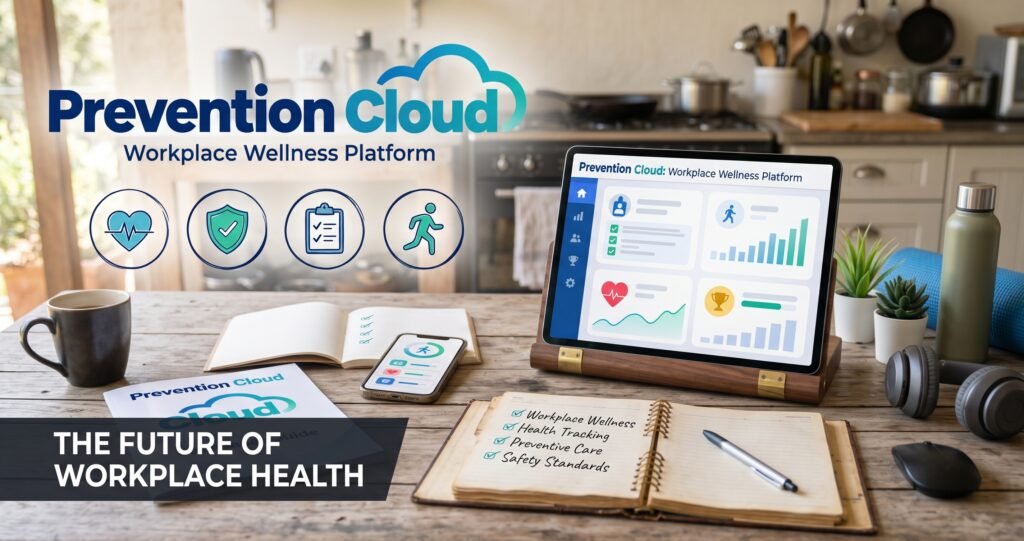
Prevention Cloud, commonly written as PreventionCloud, is an online workplace wellness platform designed to help organizations manage employee health and wellbeing programs. It provides a digital space where employees can participate in health assessments, monitor daily activities, complete wellness challenges, access educational resources, and track their participation in employer-sponsored initiatives.
The platform is associated with Zomo Health LLC, which is identified as the developer of its official mobile application. Its primary purpose is to make workplace wellness programs easier to organize, access, and measure. Instead of managing different health activities through separate systems, participants can use a centralized platform to follow their progress and complete assigned tasks.
Prevention Cloud supports several areas of wellness, including physical activity, nutrition, emotional wellbeing, and healthy lifestyle habits. Depending on an organization’s program, employees may also receive incentives for completing particular activities.
Understanding its features, account requirements, mobile application, privacy considerations, and benefits can help employees use Prevention Cloud more effectively.
Quick Information About Prevention Cloud
| Detail | Information |
|---|---|
| Platform Name | PreventionCloud |
| Website | preventioncloud.com |
| Industry | Digital Health and Wellness |
| Main Purpose | Workplace Wellness Management |
| Associated Developer | Zomo Health LLC |
| Platform Type | Web-Based Wellness Portal |
| Mobile Application | Android and iOS |
| Main Users | Employees and Organizations |
| Headquarters Associated With Developer | Houston, Texas, USA |
| Company Listing Founded | 2015 |
| App Copyright Year | 2019 |
| Main Features | Health Assessments, Activity Tracking, Challenges, Events |
| Additional Features | Nutrition Tracking, Fitness Resources, Quizzes |
| Support Email | support@preventioncloud.com |
| Access Type | Generally Employer-Sponsored |
What Is Prevention Cloud?
Prevention Cloud is a digital population health management and employee wellness platform. It helps employers organize health-related activities and encourages employees to develop healthier everyday habits.
The platform combines different wellness tools into one online environment. Employees can use their accounts to complete health assessments, participate in scheduled events, record physical activity, and submit documents required by their organization’s wellness program.
For example, an employer might introduce a walking challenge that encourages employees to reach a daily step target. Participants can record their progress and monitor their achievements through the available tracking tools.
Similarly, an organization may request that employees complete a health assessment or submit a physician visit form as part of its annual wellness initiative.
Prevention Cloud helps organize these activities and makes it easier to monitor participation.
It is important to understand that Prevention Cloud is not a general cloud storage service, medical diagnosis application, or public fitness social network. Its main focus is supporting organized health and wellness programs.
Background and History of Prevention Cloud
PreventionCloud has an established presence in the population health management industry.
Business directory information identifies PreventionCloud as a technology platform provider founded in 2015 and headquartered in Houston, Texas. Its stated purpose is to assess population health, encourage healthy behaviors, and measure the results of wellness activities.
The platform’s mobile application carries a 2019 copyright notice, providing another historical reference point for its digital development.
The PreventionCloud application is associated with Zomo Health LLC, which is identified as its developer and publisher in mobile application listings.
The platform’s development reflects the growing use of digital technology in workplace wellness management. Organizations increasingly use online systems to coordinate health activities, encourage employee participation, and measure engagement.
Over time, PreventionCloud has included additional mobile features, activity tracking improvements, wellness challenges, and application performance updates.
Although its general business history is documented, a complete public timeline of its ownership, product launches, and corporate changes is not available. Therefore, the platform’s original founding date and the mobile application’s release history should be understood as separate details.
Main Features of Prevention Cloud
Prevention Cloud offers several tools designed to support employee participation and wellness management. The exact features available depend on the organization’s subscription and program configuration.
1. Health Assessments
Health assessments are an important part of workplace wellness programs.
Prevention Cloud provides assessment tools that allow participants to answer questions about their health, lifestyle, and everyday habits.
These assessments can help users understand their current wellness routines and identify areas where they may want to improve.
Organizations can use aggregated assessment information to understand general participation and wellness needs.
However, an online assessment should not be treated as a medical diagnosis or replacement for professional healthcare.
2. Daily Activity Tracking
The platform includes activity tracking tools that help users monitor their physical activity and daily routines.
Participants may be able to record activities such as walking, exercise, and other eligible wellness activities.
Tracking progress can make it easier to establish realistic goals and maintain consistent habits.
Some supported mobile integrations also allow users to connect step-count information from compatible health services.
3. Wellness Challenges
Challenges are designed to encourage regular participation and healthy competition.
An organization may introduce individual or group challenges based on walking, physical activity, or other lifestyle goals.
For example, employees might participate in a weekly walking challenge and compare their progress against a predefined target.
These activities can make wellness programs more engaging and provide additional motivation to maintain healthy routines.
4. Personalized Wellness Plans
Prevention Cloud’s mobile application describes personalized plans as one of its available features.
These plans are intended to help users focus on individual wellness goals and monitor their achievements.
Depending on the available program tools, participants may receive guidance or suggested activities related to their health and lifestyle interests.
The purpose is to make wellness participation more organized rather than requiring users to manage every activity independently.
5. Nutrition Tracking
Nutrition is another important area of personal wellness.
The platform includes nutrition tracking tools that can help participants record food-related information and monitor their habits.
Keeping track of eating patterns may help users become more aware of their daily routines.
These tools are intended to support general wellness awareness and should not be considered a substitute for personalized dietary advice from a qualified nutrition professional.
6. Exercise and Fitness Resources
Prevention Cloud includes exercise tracking features and access to fitness-related content.
The mobile application describes guided fitness and movement videos that can help users stay active.
Depending on the available resources, participants may find exercise activities suitable for different preferences and fitness levels.
Such resources can make workplace wellness programs more accessible to employees who want to improve their activity levels.
7. Emotional Wellbeing
Physical health is only one part of overall wellness.
Prevention Cloud also includes emotional wellbeing resources designed to encourage relaxation, mindfulness, and stress management.
These resources may help participants develop healthier daily routines and become more aware of their emotional wellbeing.
They are educational and wellness-support tools, not a replacement for mental health treatment or professional counseling.
8. Events and Wellness Activities
The platform provides event-related features that help participants discover and engage with organized activities.
Depending on their employer’s program, users may be able to find wellness events, register for activities, and monitor participation.
Events can include educational sessions, fitness activities, and other health-related initiatives.
9. Quizzes and Educational Content
Prevention Cloud also offers interactive quizzes.
These activities can introduce participants to wellness topics and reinforce information about healthy lifestyle choices.
Quizzes make educational content more engaging by encouraging active participation rather than relying entirely on written information.
10. In-App Support and Communication
The mobile application includes an in-app chat feature for assistance.
This can help users seek information about the platform and navigate supported services.
The official support email is also available for questions involving accounts or technical difficulties.
How Does Prevention Cloud Work?
Prevention Cloud generally works through an organization-sponsored wellness program.
An employer establishes a program and provides eligible employees with access to the platform. Participants then use their assigned accounts to complete activities and follow the requirements of that program.
The general process includes several stages.
Step 1: Employee Enrollment
An employee becomes eligible through an organization that uses Prevention Cloud.
The employer or benefits administrator provides the necessary account information or enrollment instructions.
Public information does not establish a universal open-registration process for independent users.
Step 2: Account Login
After receiving account details, participants can visit the Prevention Cloud website and access the login page.
They generally need a registered username or email address and password.
Step 3: Complete Wellness Activities
Once logged in, users can explore the activities enabled by their organization.
These may include health assessments, exercise tracking, wellness challenges, events, and document submissions.
Step 4: Track Participation
The platform provides tools for monitoring eligible activities and participation progress.
This allows users to review their completed tasks and identify activities that still need attention.
Step 5: Receive Eligible Incentives
Some employer-sponsored programs provide points, rewards, rebates, or other incentives.
However, Prevention Cloud does not guarantee identical rewards for every participant. Each organization establishes its own requirements, eligibility rules, deadlines, and incentive structure.
Prevention Cloud Login Guide
Accessing the platform is generally straightforward for people who already have an account.
How to Log In
Follow these steps:
- Open a web browser on your computer or mobile device.
- Visit the Prevention Cloud website.
- Open the account login section.
- Enter your registered username or email address.
- Enter your password.
- Select the login option to access your account.
If the information is correct and your account is active, you should be able to access your organization’s wellness program.
How to Reset a Forgotten Password
Users who cannot remember their password can use the recovery option available on the login page.
The recovery process requests identifying information, such as the participant’s first name, last name, and registered email address or username. An alternative date-of-birth field is also provided.
Follow the instructions displayed during the recovery process.
If the recovery system does not work, contacting the official support team or your employer’s benefits administrator may help resolve the problem.
What If You Cannot Log In?
Login problems can occur for several reasons, including:
- Incorrect username or password.
- An account that has not been activated.
- An expired or inactive employer wellness program.
- Temporary website or application issues.
- Incorrect account information.
- Password recovery email delivery problems.
Users should check their login details and confirm that their employer has enrolled them before assuming that the platform is unavailable.
Prevention Cloud Mobile Application
Prevention Cloud also offers mobile applications for employees who want to access wellness tools through their smartphones.
The application is listed under the Health and Fitness category and is published by Zomo Health LLC.
It provides a mobile option for participating in supported organizational programs.
Android Application
The Android version includes features such as lifestyle assessments, personalized plans, activity tracking, challenges, incentives, fitness videos, quizzes, events, and in-app support.
The application also describes optional Google Health Connect integration.
According to its published description, users can authorize read-only access to step-count information for displaying daily totals and tracking activity-based goals.
This integration does not mean the application automatically accesses every type of health information stored on a device.
iOS Application
The iOS application supports several workplace wellness features, including:
- Participation tracking.
- Apple HealthKit integration.
- Events.
- Visit forms.
- Challenges.
- Quizzes.
- Health assessments.
- Biometric tracking.
- Nutrition tracking.
- Exercise tracking.
- Support services.
The availability of specific features can depend on the application version and organizational configuration.
Mobile Application Updates
The application has received updates intended to improve stability, functionality, and user experience.
Its published version history includes improvements to step synchronization, challenges, form settings, emotional wellbeing navigation, and general performance.
A September 2026 update also describes improvements to event performance, login functionality, keyboard behavior, application crashes, and overall reliability.
Users should keep the application updated to benefit from available fixes and improvements.
Prevention Cloud Rewards and Incentives
Rewards can be an important part of workplace wellness programs.
Organizations may use incentives to encourage employees to complete health assessments, participate in activities, or achieve specific wellness goals.
Depending on the employer’s program, incentives may include:
- Wellness points.
- Participation rewards.
- Health-related rebates.
- Premium discounts.
- Recognition for completing challenges.
- Other organization-defined benefits.
Not every employer offers the same incentives.
For example, one organization may provide rewards for completing an annual assessment, while another may focus on regular exercise participation.
Employees should check their individual program rules to understand which activities qualify, how points are calculated, and when rewards are issued.
Benefits of Using Prevention Cloud
Prevention Cloud provides several potential benefits for employees and organizations.
Encourages Healthier Habits
The platform helps participants monitor activities and establish personal wellness goals.
Regular tracking can encourage greater awareness of physical activity, nutrition, and everyday routines.
Centralizes Wellness Activities
Instead of managing different wellness tasks through multiple disconnected processes, participants can access several supported activities in one place.
This can make program participation more convenient.
Improves Employee Engagement
Challenges, events, quizzes, and incentives can encourage employees to participate more consistently.
Interactive activities may also help organizations create a more engaging wellness experience.
Supports Organizational Planning
The platform is designed to help organizations assess population health, measure participation, and understand engagement with wellness initiatives.
These insights may help employers evaluate their programs and identify opportunities for improvement.
Provides Flexible Access
The combination of a website and mobile application allows eligible participants to access supported features through different devices.
This can be especially useful for employees who prefer completing wellness activities outside their regular workplace environment.
Privacy and Data Security on Prevention Cloud
Privacy is particularly important for a platform that may handle health-related information.
Prevention Cloud users should understand what information is collected, how it is used, and who can access it.
Information handled by a wellness program may include personal details, health assessments, activity records, nutrition information, and participation data.
The mobile application also describes optional health-data integrations that require user permission.
The Android listing states that Google Health Connect step-count access is read-only and is used for displaying activity totals and tracking relevant goals.
However, users should not assume that all information is handled in exactly the same way across every program.
Important Privacy Considerations
Before submitting personal or health-related information, users should:
- Read the applicable privacy policy.
- Review the permissions requested by the mobile application.
- Understand which information is collected.
- Ask their employer how individual and aggregate information is handled.
- Check whether personal health details are shared with program administrators.
- Review the rules governing data retention and access.
It is also important to understand that workplace wellness privacy arrangements may differ depending on the organization and applicable laws.
A platform’s general privacy statements should not be treated as a guarantee that every employer-sponsored program has identical privacy protections.
Common Problems and Troubleshooting
Although Prevention Cloud provides online and mobile access, users may occasionally encounter technical problems.
Login Errors
Incorrect credentials or account enrollment issues can prevent access.
Check the username and password carefully and use the recovery options if necessary.
Missing Activity Records
Sometimes an activity may not appear immediately.
Check whether the relevant device integration is enabled and whether the activity has synchronized correctly.
Challenges Not Opening
If a challenge does not load, try updating the application and signing in again.
If the issue continues, contact support or your employer’s program administrator.
Delayed Form Approval
Some wellness activities require users to submit supporting documents, such as physician visit forms.
Approval times and verification requirements depend on the employer’s program.
Check the submission status and confirm that the correct information was provided.
Mobile Synchronization Issues
Users experiencing step-count synchronization problems should review their phone’s health permissions and supported integrations.
Not every fitness device or third-party application is guaranteed to work directly with Prevention Cloud.
Who Can Benefit From Prevention Cloud?
Prevention Cloud is primarily designed for organizations that want to manage employee wellness initiatives.
Its main users include:
Employees: Participants can access wellness activities, track progress, complete assessments, and follow program requirements.
Human Resources Teams: HR departments can coordinate employee wellness initiatives and communicate program information.
Benefits Administrators: Administrators can manage program participation and relevant wellness requirements.
Organizations: Employers can use population health management tools to support employee engagement and measure program participation.
The platform is most relevant to people who have been invited to participate in an organization-sponsored program.
Prevention Cloud vs. Traditional Wellness Programs
Traditional workplace wellness programs often rely on separate forms, emails, spreadsheets, and manual activity reporting.
Prevention Cloud provides a centralized digital alternative.
| Area | Traditional Programs | Prevention Cloud |
|---|---|---|
| Activity Tracking | Often manual | Digital tracking tools |
| Health Assessments | Paper or separate forms | Online assessment tools |
| Challenges | Manually coordinated | Digital challenge features |
| Participation | Separate records | Centralized tracking |
| Educational Resources | Separate materials | Digital quizzes and content |
| Mobile Access | Depends on organization | Dedicated mobile applications |
| Reporting | Often manual | Population health measurement tools |
The main difference is the level of digital organization and integration.
However, the effectiveness of either approach depends on program design, employee participation, and the quality of the available resources.
Latest Prevention Cloud Updates and Developments
Prevention Cloud continues to maintain its mobile application through feature improvements and technical updates.
Its published application history includes several developments:
- Improvements to step synchronization and activity tracking.
- Additional support for wellness challenges.
- Enhanced form functionality.
- Updates to emotional wellbeing navigation.
- Improved application stability and performance.
- Better event loading and navigation.
- Login experience and keyboard improvements.
- General crash fixes and interface refinements.
The September 2026 update specifically highlights improvements to events, login behavior, and application reliability.
These changes indicate continued maintenance of the mobile experience.
However, a mobile application update should not automatically be interpreted as a major change in the platform’s ownership, business model, or overall services.
Users interested in the latest available functionality should check the version installed on their devices and the features enabled by their employer.
Frequently Asked Questions About Prevention Cloud
1. What is Prevention Cloud used for?
Prevention Cloud is used to manage workplace wellness programs. It helps employees complete health assessments, track activities, participate in challenges, and monitor their program participation.
2. Who develops Prevention Cloud?
The PreventionCloud mobile application identifies Zomo Health LLC as its developer and publisher.
3. Is Prevention Cloud a fitness application?
It includes fitness and activity tracking features, but its primary purpose is supporting organization-sponsored wellness programs rather than serving as a general public fitness application.
4. How can I access Prevention Cloud?
Eligible participants can access the platform through its website or supported mobile application using their registered account information.
5. Is Prevention Cloud free?
The mobile application is listed as free to download. However, access to the platform’s full services generally depends on an employer-sponsored program. Public information does not establish a universal pricing arrangement for all organizations.
6. Does Prevention Cloud have an Android application?
Yes. The application is available for Android devices and includes several wellness tools, activity tracking features, challenges, and support options.
7. Does Prevention Cloud support Apple Health?
The iOS application lists Apple HealthKit integration, which can support the transfer of relevant activity information.
8. Can Prevention Cloud track daily steps?
Yes. Supported activity tracking integrations can help users monitor daily steps and progress toward eligible wellness goals.
9. Can employees earn rewards?
Some employer-sponsored programs offer incentives for completing qualifying activities. The rewards and eligibility requirements depend on the employer.
10. Is Prevention Cloud a medical service?
No. It is a workplace wellness platform. Its assessments and educational tools do not replace medical diagnosis, treatment, or professional healthcare advice.
11. What should I do if I forget my password?
Use the password recovery option on the login page. If you cannot recover your account, contact official support or your employer’s benefits administrator.
12. How can I contact Prevention Cloud support?
Users can contact the support team through the email address support@preventioncloud.com for assistance with platform-related questions.
Final Thoughts
Prevention Cloud is a digital wellness platform designed to help organizations manage employee health initiatives and encourage healthier everyday habits. Its features include health assessments, activity tracking, personalized wellness plans, fitness resources, challenges, events, quizzes, and participation monitoring.
Its connection with Zomo Health LLC and availability through Android and iOS applications make it a recognizable option in the workplace wellness technology space.
For employees, the platform offers a centralized way to participate in organizational wellness activities and monitor progress. For employers, it provides tools for coordinating initiatives and measuring participation.
However, available features, rewards, account access, and privacy arrangements can differ between organizations. Users should always review their employer’s program requirements and understand the platform’s privacy information before sharing personal details.
Overall, Prevention Cloud aims to make workplace wellness programs more accessible, organized, and engaging through digital technology.