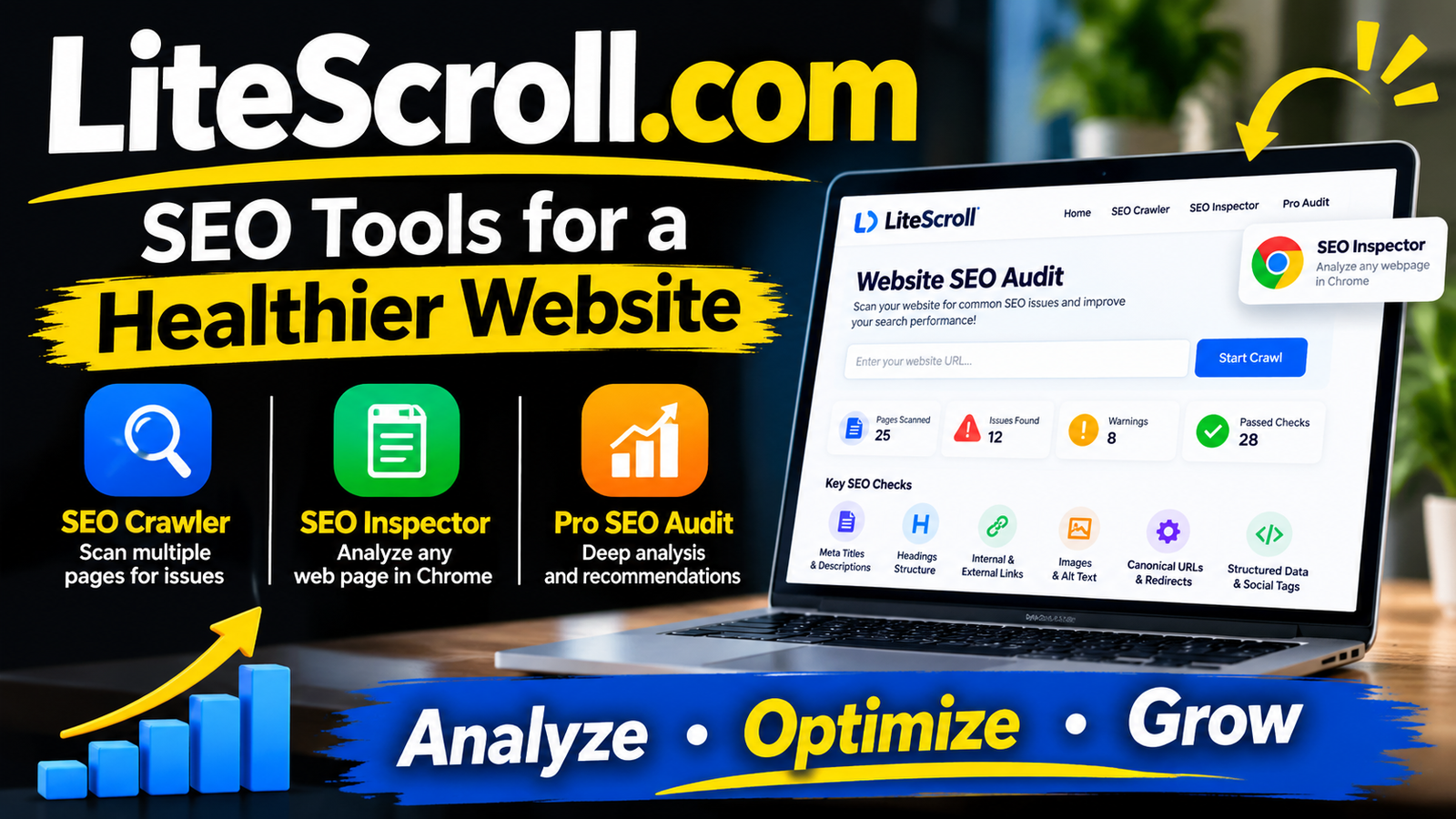
LiteScroll.com is a website associated with lightweight search engine optimization (SEO) tools designed to help website owners, bloggers, freelancers, and digital marketers identify common website optimization problems.
Website optimization involves more than publishing articles and adding keywords. Technical issues, missing metadata, incorrect headings, broken links, and indexing problems can affect how search engines understand a website. Tools that simplify these checks can help users identify areas that need attention without requiring extensive technical knowledge.
LiteScroll focuses on making basic SEO analysis more accessible through website crawling and individual webpage inspection. Its reported toolkit includes a multi-page SEO crawler, a browser-based SEO inspection extension, and a separate professional audit service.
For users managing smaller websites, these tools offer a starting point for reviewing technical and on-page SEO elements. However, understanding their features, limitations, and appropriate uses is important before relying on them for larger SEO projects.

What Is LiteScroll.com?
LiteScroll.com is an online SEO utility platform that focuses on website auditing and webpage analysis. Its main purpose is to make common search optimization checks easier for people who manage websites but may not need a complicated professional SEO platform.
The platform is designed around two primary tools:
- LiteScroll SEO Crawler: Examines multiple website pages and identifies common SEO issues.
- LiteScroll SEO Inspector: A Chrome extension that checks SEO elements on the webpage currently open in the browser.
It also offers LiteScroll Pro SEO Audit, a request-based service for users who need a more detailed website review.
The platform identifies its intended audience as website owners, bloggers, freelancers, and small SEO teams. Its main focus is simplicity, accessible reports, and practical recommendations rather than advanced marketing analytics. LiteScroll.com+1
Background and Purpose of LiteScroll
The primary idea behind LiteScroll is to simplify everyday website SEO tasks.
Many website owners use multiple tools to check page titles, meta descriptions, heading structures, image attributes, canonical URLs, and indexing instructions. Managing these checks separately can take time, particularly when reviewing several pages.
LiteScroll brings many of these basic inspection functions into a smaller toolkit.
Its approach is based on three main objectives:
Making SEO Checks Accessible
The platform focuses on common website problems that can be understood without advanced technical knowledge.
For example, a blogger can check whether an article has a missing meta description or whether an important heading is incorrectly structured.
Simplifying Website Audits
Rather than requiring users to configure a complicated crawling system, LiteScroll provides a straightforward website scanning process.
Users can submit a website address, run a scan, and review the resulting findings.
Improving Page-Level Analysis
The Chrome extension allows users to inspect individual webpages while browsing.
This is particularly useful when editing blog articles, reviewing landing pages, or checking website changes before publishing them.
Main Features of LiteScroll.com
LiteScroll offers several features that cover different aspects of technical and on-page SEO.
1. LiteScroll SEO Crawler
Free tool
The SEO Crawler is one of the platform’s main products. It scans multiple pages on a website and identifies common optimization problems.
The free version supports up to 25 pages per scan.
Its advertised checking capabilities include:
- Page title analysis.
- Meta description checks.
- H1 and heading structure inspection.
- Canonical URL checks.
- Noindex and indexing signals.
- Image alternative text checks.
- Content-related warnings.
- Internal and external link inspection.
- Basic technical SEO signals.
The crawler organizes its findings into a report so website owners can identify which pages may need attention.
This feature is particularly useful for smaller websites, portfolios, blogs, and business websites that do not require extensive crawling.
One important limitation is its 25-page free scan allowance. A website containing hundreds of articles cannot be fully evaluated through a single free scan. LiteScroll.com+1
2. LiteScroll SEO Inspector
Free Chrome extension
SEO Inspector is designed for individual webpage analysis.
Unlike the crawler, which examines multiple pages, the Inspector focuses on the page currently open in Chrome.
Its advertised features include:
- Meta title and description analysis.
- H1 through H6 heading inspection.
- Internal and external link counts.
- Nofollow link identification.
- Canonical URL inspection.
- Robots meta tag checks.
- Image alt attribute analysis.
- Structured data detection.
- Open Graph information.
- Twitter/X social metadata.
- Target keyword placement checks.
The extension also includes convenient options for copying headings and summaries and exporting page information.
This makes it useful for content editors and SEO professionals who regularly review individual webpages.
For example, someone preparing a blog article can inspect its title, description, heading structure, and image attributes before publishing it. Chrome SEO Extension+1
3. LiteScroll Pro SEO Audit
The Pro SEO Audit is intended for websites that require more detailed analysis than the free tools provide.
It is a custom-request audit rather than a conventional monthly software subscription.
The platform advertises an audit request covering up to 100 pages, with deeper technical and on-page reviews.
Its advertised review areas include:
- Website crawlability.
- Page indexability.
- Canonical and noindex signals.
- Metadata problems.
- Heading structure.
- Internal linking.
- Image alt text.
- Keyword placement.
- Technical SEO issues.
- Prioritized improvement recommendations.
Users submit basic information about their website and the type of analysis they need.
The service is intended for larger blogs, business websites, agency projects, and users who need a more structured SEO improvement plan.
However, the service does not display a universal fixed price on its pricing page. Interested users should confirm the exact cost, deliverables, and turnaround time before requesting a paid audit. Deeper Website SEO Review+1
4. SEO Reports and Export Options
Reporting is another important part of the LiteScroll toolkit.
Instead of relying entirely on information displayed on the screen, users can use the available copying and export functions to keep records of their findings.
The advertised options include:
- Printable reports.
- PDF-style reports.
- CSV-style crawler exports.
- JSON data exports.
- HTML report exports.
- Copy summary functionality.
- Copy headings functionality.
These options can help freelancers share SEO findings with clients or maintain records of website improvements.
The exact available export formats depend on the particular tool and its browser capabilities. LiteScroll.com+2
5. Keyword Placement Inspection
Keyword placement is an important part of on-page SEO.
The SEO Inspector includes a keyword checking feature that allows users to enter a target phrase and examine its presence in important page elements.
These include:
- SEO title.
- Meta description.
- Main heading.
- Other headings.
- Page content.
This can help content writers identify whether their primary topic is represented in important areas of an article.
However, keyword presence alone does not determine search rankings. Search engines consider many additional factors, including content usefulness, relevance, page experience, and technical accessibility.
6. Schema and Social Metadata Checks
Structured data and social metadata help websites provide additional information about their pages.
LiteScroll advertises the ability to identify JSON-LD structured data, Microdata, Open Graph tags, and Twitter/X card information.
These checks can help website owners identify whether important markup and social sharing information are present.
They do not independently guarantee rich search results or improved social engagement. The actual results depend on implementation quality and the systems interpreting the information. Chrome SEO Extension+1
Quick Comparison of LiteScroll Tools
| Tool | Main Purpose | Published Limit |
|---|---|---|
| SEO Crawler | Multi-page website auditing | 25 free pages |
| SEO Inspector | Individual webpage inspection | Current Chrome page |
| Pro SEO Audit | Deeper website analysis | Up to 100-page request |
| Report Export | Saving and sharing findings | Format depends on tool |
| Keyword Checker | Checking keyword placement | Individual page |
How to Use LiteScroll.com
Getting started with LiteScroll is relatively straightforward. Users can begin with a basic website scan and then inspect individual pages to understand specific problems.
Step 1: Open the Website
Visit the platform’s homepage and locate the SEO Crawler option.
Step 2: Enter Your Website Address
Submit the website URL you want to examine.
It is generally best to start with a website you own or are authorized to audit.
Step 3: Start the SEO Crawl
Run the available scan and allow the crawler to examine the pages within its permitted limit.
Step 4: Review the Results
Examine the reported issues, including missing titles, weak descriptions, heading problems, canonical errors, and image-related warnings.
Do not assume that every warning requires an immediate change. Review the affected page and confirm whether the reported issue is actually important.
Step 5: Inspect Individual Pages
Use the SEO Inspector to examine important webpages in Chrome.
This is useful when checking a recently published article or reviewing changes made to an existing page.
Step 6: Export the Report
Use the available export options to save findings for future reference or share them with team members.
Step 7: Prioritize Improvements
Start with issues that could prevent important pages from being crawled or indexed correctly.
After resolving critical problems, work on metadata, headings, images, and internal links.
This approach makes an automated audit more useful than simply trying to achieve a perfect numerical score.
Who Can Benefit From LiteScroll.com?
LiteScroll is designed for users who need practical SEO checks without investing in a complicated auditing platform.
Bloggers and Content Creators
Bloggers can use the tools to review article titles, descriptions, headings, images, and keyword placement.
This can help improve publishing quality and identify basic optimization problems.
Freelance SEO Professionals
Freelancers can use the crawler for preliminary website reviews and the Inspector for checking individual client pages.
Exportable reports can also support client communication.
Small Business Owners
Small business websites often contain a limited number of important pages.
The free 25-page crawl may be sufficient for an initial review of a small company website.
Digital Marketing Teams
Small marketing teams can use LiteScroll as an additional checking tool when reviewing website content and technical SEO elements.
It can support routine quality checks before and after website updates.
Website Administrators
Administrators can use individual page inspection to review metadata, indexing instructions, links, and structured data.
This can be useful when troubleshooting problems introduced by website redesigns or content management system changes.
LiteScroll Pricing and Free Access
One of the platform’s notable features is its free access to the main SEO tools.
Its published pricing structure separates basic automated tools from the more detailed audit service.
| Plan or Service | Price | Features |
|---|---|---|
| LiteScroll Free | $0 | SEO crawler and Inspector |
| Free Crawler | Included | Up to 25 pages per scan |
| SEO Inspector | Included | Chrome webpage inspection |
| Pro SEO Audit | Custom request | Up to 100-page audit request |
There is no published standard monthly subscription price for the Pro SEO Audit.
This means users can begin with the free tools without committing to a recurring software payment. Those who need deeper analysis can request additional information about the custom audit service.
The platform’s pricing information also presents the free tools as suitable for regular checks on smaller websites. LiteScroll.com+1
Advantages of Using LiteScroll.com
LiteScroll offers several practical advantages for people managing websites.
Free SEO Tools
The free crawler and Chrome extension provide access to basic SEO checks without requiring a monthly subscription.
Simple Interface
The platform focuses on common optimization problems rather than presenting users with large amounts of complicated technical information.
Multiple Inspection Options
Users can examine an entire small website through the crawler or investigate individual pages through the Chrome extension.
Convenient Reporting
Copying and exporting information can make it easier to document findings and communicate recommendations.
Useful for Smaller Websites
The 25-page crawling allowance can be sufficient for portfolios, small business websites, and smaller blogs.
Additional Audit Service
Users who need more extensive analysis can request the Pro SEO Audit rather than relying exclusively on the free tools.
Limitations of LiteScroll.com
Although LiteScroll offers useful functionality, it is important to understand what the platform does not provide.
Limited Free Crawling Capacity
The 25-page scan limit is its most obvious restriction.
Larger websites with hundreds or thousands of URLs will need additional auditing methods to achieve complete coverage.
Not a Complete SEO Platform
LiteScroll focuses mainly on technical and on-page website checks.
It should not be treated as a complete replacement for tools that provide extensive keyword research, backlink analysis, competitor intelligence, ranking tracking, and marketing analytics.
Chrome Extension Installation
The published extension instructions describe downloading a ZIP file and manually loading the unpacked extension through Chrome Developer Mode.
This is different from installing an extension directly through the Chrome Web Store.
Users should verify the download source, inspect requested permissions, and understand what access they are granting before installation. Manual installation is not automatically evidence of a security problem, but it requires additional caution.
No Fixed Pro Audit Price
The Pro SEO Audit uses a custom-request process rather than a clearly published standard price.
Users should confirm pricing and service details before committing.
Automated Reports Need Human Review
SEO tools can identify potential problems, but automated warnings do not always represent serious ranking issues.
A missing description, for example, is worth reviewing, but it does not automatically mean that a page cannot rank.
Professional judgment remains important when deciding which recommendations to implement. Marketing 180+1
Is LiteScroll.com Safe and Legitimate?
When evaluating an online SEO platform, users should consider its available features, website information, privacy practices, and software distribution methods.
LiteScroll publishes information about its products, pricing, company background, and support options. It also provides legal and informational pages, including a privacy policy, terms and conditions, and disclaimer.
These are useful transparency indicators, but they do not independently guarantee the security of every service or downloaded file.
The Chrome extension deserves particular attention because its installation process involves manually loading an unpacked extension.
Before installing it, users should:
- Download the extension only from the intended official source.
- Check the permissions requested by Chrome.
- Avoid granting unnecessary access.
- Keep Chrome updated.
- Avoid submitting confidential website information unless its handling arrangements are appropriate.
It is also sensible to review the privacy policy before submitting personal details or website information through any online service.
For ordinary website inspection, users should generally begin with publicly accessible pages rather than confidential URLs.
Overall, LiteScroll presents itself as a functioning SEO utility platform, but users should evaluate its tools according to their own security and professional requirements.
LiteScroll.com vs. Other SEO Tools
LiteScroll has a narrower purpose than comprehensive SEO platforms.
Its main strength is basic website inspection, while more advanced services offer broader research and analysis capabilities.
| Feature | LiteScroll | Comprehensive SEO Platforms |
|---|---|---|
| Basic SEO checks | Yes | Yes |
| Website crawling | Up to 25 free pages | Often larger crawl options |
| Page inspection | Chrome extension | Depends on platform |
| Keyword research | Basic placement checking | Advanced research options |
| Backlink analysis | Not a core feature | Commonly available |
| Competitor analysis | Not a core feature | Commonly available |
| Reporting | Yes | Yes |
| Best use | Quick SEO checks | Broader SEO campaigns |
For users who only need to check metadata, headings, images, and indexing signals, a lightweight tool can be sufficient.
However, professional SEO campaigns often require additional resources for backlink research, keyword discovery, ranking analysis, and technical investigation.
LiteScroll is best considered an additional SEO utility rather than a complete replacement for an established SEO workflow.
Latest Information and Developments
The currently published LiteScroll website presents its offering around three main services: the free SEO Crawler, the SEO Inspector Chrome extension, and the request-based Pro SEO Audit.
Its website also includes educational resources covering topics such as canonical URLs, image SEO, on-page optimization, technical SEO, and SEO audit procedures.
The published product information continues to highlight the following features:
- Free website crawling for up to 25 pages.
- Individual webpage inspection through Chrome.
- Metadata and heading analysis.
- Image and link checks.
- Structured data and social metadata inspection.
- JSON and report export options.
- Deeper audit requests covering up to 100 pages.
The extension’s published installation information describes manual Chrome installation, with Chrome Web Store availability listed as pending in the reviewed third-party documentation.
There is no sufficiently established public history documenting the platform’s original launch date, founding team, or a complete sequence of historical product releases. Therefore, it would be inaccurate to invent a detailed company history or claim that a particular recent update has been officially released.
The best way to understand its current offering is to distinguish published product features from independently tested performance. LiteScroll.com+3
Frequently Asked Questions About LiteScroll.com
1. What is LiteScroll.com used for?
LiteScroll.com is used for basic website SEO auditing and webpage inspection. It helps users identify issues involving metadata, headings, images, links, canonical URLs, and indexing signals.
2. Is LiteScroll.com free?
Yes. Its main SEO Crawler and SEO Inspector tools are advertised as free. The crawler supports up to 25 pages per scan, while the Pro SEO Audit is offered separately through a custom request.
3. What is LiteScroll SEO Crawler?
It is a website auditing tool that examines multiple pages and identifies common technical and on-page SEO problems.
4. What is LiteScroll SEO Inspector?
It is a Chrome extension designed to inspect the SEO elements of the webpage currently open in the browser.
5. How many pages can LiteScroll scan?
The free SEO Crawler supports up to 25 pages per scan. Its separate Pro SEO Audit request process advertises coverage of up to 100 pages.
6. Does LiteScroll help improve Google rankings?
LiteScroll can help identify website problems that may affect SEO performance. However, it does not automatically improve rankings. Users must review and implement appropriate recommendations.
7. Can bloggers use LiteScroll?
Yes. Bloggers can use it to review article metadata, headings, images, links, and keyword placement before publishing or updating content.
8. Does LiteScroll provide backlink analysis?
Backlink intelligence is not a core advertised feature of the platform. Users who need detailed backlink research should use a dedicated backlink analysis tool.
9. Is LiteScroll SEO Inspector available for Chrome?
LiteScroll provides a downloadable Chrome extension. Its published instructions describe manual installation through Chrome Developer Mode rather than a standard Chrome Web Store installation.
10. What is LiteScroll Pro SEO Audit?
It is a custom-request service that offers a deeper technical and on-page SEO review, with an advertised audit request covering up to 100 pages.
11. Does LiteScroll replace Google Search Console?
No. LiteScroll and Google Search Console serve different purposes. LiteScroll focuses on website and page-level SEO inspection, while Search Console provides information about Google’s crawling, indexing, search performance, and related website signals.
12. Who should use LiteScroll.com?
It is primarily intended for bloggers, freelancers, small business owners, website administrators, and smaller SEO teams looking for straightforward website auditing tools.
Conclusion
LiteScroll.com is a lightweight SEO toolkit designed to make website auditing and webpage inspection more accessible. Its main offerings include a free SEO Crawler, a Chrome-based SEO Inspector, and a custom Pro SEO Audit service.
The platform focuses on essential optimization checks, including page titles, meta descriptions, heading structures, canonical URLs, images, internal links, structured data, and indexing signals.
Its free 25-page crawler makes it a practical starting point for smaller websites, while the browser extension provides additional convenience when reviewing individual pages. Users with larger websites can consider the separate audit service, although its pricing and exact deliverables should be confirmed beforehand.
LiteScroll is not a complete replacement for advanced SEO software, backlink research platforms, or search performance tools. Instead, its value lies in simplifying routine SEO checks and helping users identify areas that deserve further attention.
For bloggers, freelancers, and website owners who want a straightforward way to review basic SEO elements, LiteScroll offers a useful set of tools worth understanding.